

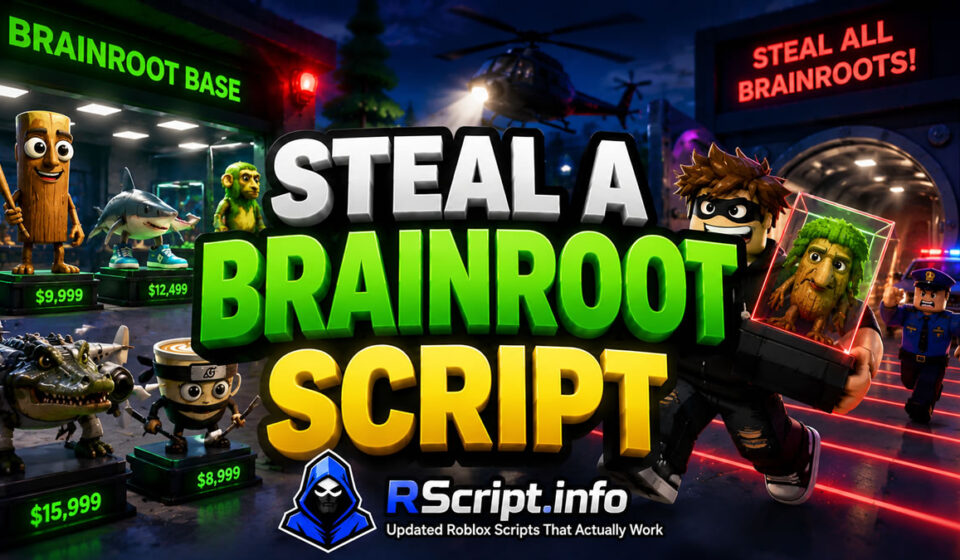
Best Steal a Brainrot Script 2026 Dominate Fast, Auto Farm
Steal a Brainrot Script setups allow players to systematically manage base defenses, speed up item steals, and locate valuable map targets. Sifting through crowded servers, timing base locks, and protecting acquired assets manually can prove challenging during fast-paced rounds.
At RScript.info, our core objective is delivering “Updated Roblox Scripts That Actually Work” alongside active updates on our RScript Official Pinterest. These educational tools streamline map navigation and combat routines so you can optimize progression without extra hassle.
Core Mechanics and Key Steal a Brainrot Customizations Explained
Modification dashboards interface directly with in-game inputs to automate interaction prompts, position shifts, and asset tracking. They provide clear visual overlays and precise automated triggers across open servers.
- Progression Loops: Automatically collects podium cash, executes shop item purchases, and coordinates server hops to maximize income.
- Input Triggers: Configures instant proximity interactions, fast slap combat swings, and automated grab routines within targeted radii.
- Auto-Farming Parameters: Automates item stealing delivery, base locks, and automated shop purchases like Quantum Cloners or Invisibility Cloaks.
- Precision Tracking: Highlights high-value brainrots, base ownership timers, and player locations through walls using detailed ESP visuals.
Evaluated Steal a Brainrot Script Hubs and Feature Profiles
Several distinct developer hubs offer powerful optimization suites customized specifically for this title.
Snowy Hub Variant Analysis
Snowy Hub focuses on direct movement adjustments, shop purchasing automation, and straightforward visual overlays. It delivers lightweight utility tools designed to make map navigation completely effortless.
Key Features
- WalkSpeed, JumpPower, Noclip, Float Hover, and Teleport controls.
- Auto Buy toggles for Quantum Cloner, Medusa’s Head, and Invisibility Cloak.
- Full Brainrot ESP filters categorized from Common up to Secret rarities.
Educational Code Snippet
Lua
loadstring(game:HttpGet("https://api.jnkie.com/api/v1/luascripts/public/4ad6a2d2335968486879c1b1a2dcefc6937ea63c8acb88e703a1ec95a4a146ea/download"))()
Why Players Prefer Snowy Hub
Players prefer Snowy Hub for its clean movement toggles and instant shop automation features. It simplifies position saving and server hop functions during active sessions.
Rift Variant Analysis
Rift delivers an advanced management interface geared toward automated base security and stealing combat. Its suite incorporates desync options, automated delivery triggers, and detailed statistical tracking.
Key Features
- Base Management including Auto Lock Base, Auto Collect Cash, and Anti-Steal server exits.
- Stealing Automation with Auto Hold Prompt and Best Brainrot Highlighting.
- Combat tools featuring Auto Hit, Fast Slap tool switching, and Desync client protection.
Educational Code Snippet
Lua
loadstring(game:HttpGet("https://rifton.top/loader.lua"))()
Why Players Prefer Rift
Rift is favored by users who want extensive authority over match flow and base security. Its combination of auto-delivery and anti-ragdoll utilities makes base management extremely efficient.
UNDETECTED SAB Variant Analysis
UNDETECTED SAB offers specialized combat aiming options alongside deep visual controls and road spawner tools. It provides precise targeting hit circles and custom environment modifications.
Key Features
- Combat tools including Silent Aim, Hit Circle Aura, and Medusa Counter.
- Stealer options such as Auto Grab Radius, Fake Lag, and Sentry Destroyer.
- Comprehensive World Visuals with Low Poly modes, Fullbright, and custom Time of Day adjustments.
Educational Code Snippet
Lua
loadstring(game:HttpGet("https://unknownhub.win/api/projects/54474b4c5d5a4f459909c4cb70e7b4f3/loader"))()
Why Players Prefer UNDETECTED SAB
Users gravitate toward UNDETECTED SAB for its precise combat features and deep visual customizability. It grants detailed insight into base timers and target values across the server.
Analytical Performance Comparison of Steal a Brainrot Hubs
| Optimization Hub | Main Feature Focus | Resource Impact | UI Accessibility |
| Snowy Hub | Movement & Quick Auto-Buy | Very Low | High |
| Rift | Base Security & Auto-Stealing | Low | Intermediate |
| UNDETECTED SAB | Silent Aim & Deep Visual ESP | Moderate | Intermediate |
Step-by-Step Configuration Guide for Steal a Brainrot
Activating these optimization utilities requires a simple step-by-step setup process.
- Launch the Roblox client and load into your Steal a Brainrot match.
- Open your chosen supported script runner application.
- Copy the verified loadstring definition directly from RScript.info.
- Execute the code to activate your preferred configuration panel inside the client interface.
Supported Mobile and PC System Environments
These configuration layouts are fully compatible with modern mobile and desktop execution frameworks including Delta, Wave, Codex, Synapse Z, Solara, and Seliware.
Because title updates occasionally modify game assets, RScript.info actively verifies loader source definitions to ensure continued functionality.
Evaluated Strategic Pros and Cons
Strategic Benefits of Steal a Brainrot Utilities
- Eliminates hold times on items using instant interaction functions.
- Protects accumulated base earnings with automated locking mechanics.
- Identifies high-value targets instantly through multi-tier ESP highlights.
- Enhances client frame rates using built-in FPS boost toggles.
Operational Limits and Safety Risks
- Incorrectly configured velocity speeds can cause temporary character physics glitches.
- Frequent server hopping depends on stable network connection speeds.
- Game client patches require periodic source file updates.
Safe Usage Practices and Professional Disclaimer
These technical setups are analyzed purely for research, educational, and testing purposes. Users should always evaluate features responsibly while adhering to platform guidelines and official terms of service.
Additional Roblox Gameplay Optimizers
If you enjoy competitive action and base defense titles, explore our comprehensive review guides covering popular simulators, action games, and tower defense titles across our library.
Strategic Verdict for Active Players
Selecting the ideal configuration depends on whether you prioritize simple movement utility, automated base security, or specialized combat aim. Discover active and updated source files directly on RScript.info.
Frequently Asked Questions
What does a Steal a Brainrot Script do?
It automates core tasks such as grabbing items, locking base gates, hitting nearby targets, purchasing store items, and displaying item locations through walls.
Are these source links currently working?
Yes, RScript.info aggregates dynamic, community-maintained links that pull live updates directly from verified public asset repositories.
Do these utility dashboards support mobile devices?
Yes, popular mobile clients like Delta and Codex execute these configurations seamlessly on mobile platforms.
How does the Auto Lock Base feature work?
It detects incoming players or item status changes and automatically triggers base gate locks to prevent item theft.
What should I do if visual overlays fail to render?
Re-execute the loader code or toggle the specific ESP menu option to re-align overlays with the active server session.